

Summary
“Do it yourself” covers two different things. Light DIY means keeping the AI you already run and building the knowledge layer underneath it: around five months and €135K in year one. Full DIY means building and maintaining the agent, the data pipeline and the interfaces: around ten months and €290K. Chapter comes to roughly €22K in year one, with an estimated one to three-week launch.
Using AI to retrieve information from documents is relatively straightforward. Keeping answers correct, down to the part number, across thousands of files and technical data points as your products change is where the work adds up. Including a full twelve months of running costs after the initial build widens the cost gap further. Across the two DIY scenarios, the longer timelines also mean an average of roughly €31K in delayed benefits from time savings and reduced support workload.
Building makes sense if your scope will stay small, you already have structured product knowledge and the engineers to maintain it, or you have requirements no vendor can meet. Otherwise, buying offers faster time to value and lower ongoing costs, while keeping your engineers focused on your products.
"We could build this ourselves."
It's a fair thing to say, and you should say it before you spend money with anyone. Including us, which does make this a slightly awkward post to write. So let's look at what you're deciding.
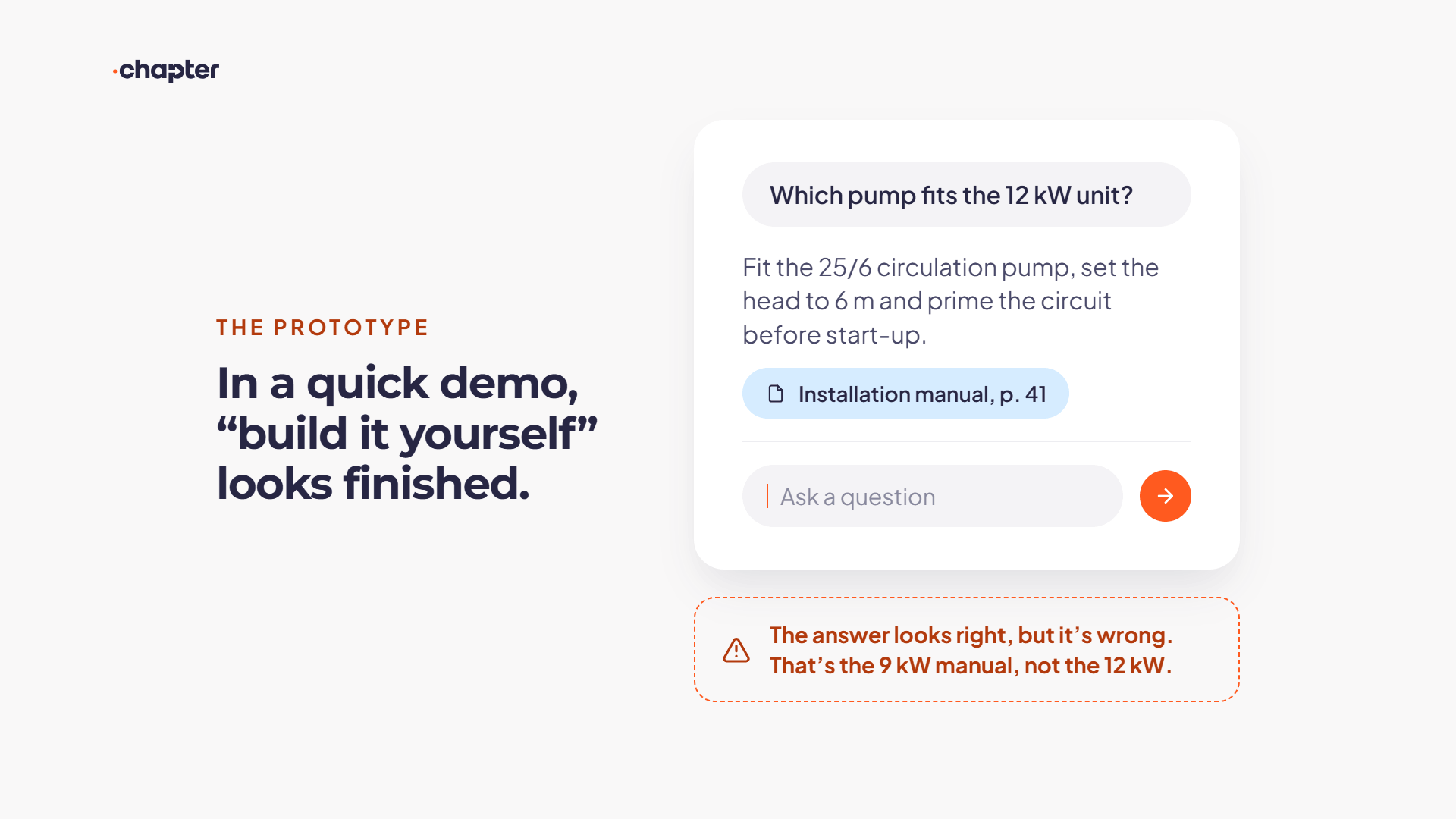
Your engineer points an LLM at a folder of manuals and has something working by Friday. It answers questions. It cites a document. In a demo, it looks finished.
So: why buy a platform for something you prototyped in a week?
Because a working prototype isn't a production system. The prototype answers questions from a pile of PDFs. The production system has to return the right procedure for the right product variant and cite the page it came from. It still has to be right in three years, after two product launches, a refrigerant transition, and the departure of the engineer who built it.
And here's the hardest part. You're asking this question because your support desk is under pressure: the same recurring error codes, the escalations that only two people in the building can resolve, and the January or July peak in demand. That pressure is exactly what makes a reliable knowledge layer worth having. It's also why nobody has ten months of engineering time to spare to build one properly.
That's the real decision: whether your team has the time to build and maintain it. Not whether they could.
What adds to the build cost for an equipment manufacturer
Four requirements drive both the initial build and ongoing maintenance.
Answers must match the exact product. Near-identical models can need different parts or procedures. Your team must structure those distinctions and test answers against them.
Different audiences need different answers. Support staff, installers and customers need appropriate detail and access to information, without maintaining separate knowledge bases.
New guidance must account for older equipment. Revised manuals and service bulletins need to stay linked to the models they apply to. Each update requires checking affected answers.
Knowledge spans formats, languages and national requirements. Manuals, videos and schematics sit alongside national regulatory, compliance and subsidy information. Each source needs to be processed, connected and kept current so answers reflect the relevant product, country and date.
None of this is unusual for an equipment manufacturer. But each requirement adds development and maintenance work that “index the docs and add a chat box” leaves out of the budget.
Two ways to build it yourself
The build-vs-buy framing hides something important: "build" means two quite different projects. The scope differs before the cost does.
%20(1).png)
Track A — light DIY: keep your assistant, build the knowledge layer
You already run an assistant, or your CRM vendor bundles one. It handles order status but struggles with product data because it's guessing from unstructured documents.
So you build only the layer underneath it: structure hundreds of technical data points, add retrieval and hallucination checks, and keep the data current as specs change.
Narrower scope, smaller bill. But this is the layer that decides whether an answer about a specific variant is correct or just sounds right.
≈ €110K to build · ≈ €45K/year to run · ≈ 5 months to go live · year one ≈ €135K
Track B — full DIY: assistant and knowledge system, end to end
Your team builds the assistant, the pipeline and the interfaces, then owns all of it. Maintaining accuracy and governance realistically takes 2–3 FTE. Delivery risk stays with you.
≈ €270K to build · ≈ €130K/year to run · ≈ 10 months to stable operation · year one ≈ €290K
Both estimates are midpoints, based on the fully loaded cost of 2 FTE for light DIY and 2.5 FTE for full DIY, plus tooling and infrastructure. Our figures, our assumptions. Swap in your own loaded cost per engineer for an even more fair comparison.
What the demo doesn't show
Here's the work that sits between a prototype and something you'd put in front of your support desk, your installer network and your customers.
Structure, not just chunks. This is the one that surprises people.

When our installers encounter installation questions or error codes in the field, they need instant access to accurate, Solvis-specific procedures, not generic heating advice.


Claas Rühling's team at Solvis put it plainly after trying it themselves: pooling the documents together did not work. Answer quality only improved as the data became structured.
The reason is specific to your business. Near-identical product variants are where generic retrieval fails, because the wrong answer looks exactly like the right one. Getting that right means a validated graph of concepts, part numbers, relationships and cross-lingual synonyms. Every node needs a confidence score and approval from someone who actually knows the products. Production graphs run to tens of thousands of nodes.
The curation tool your experts will actually use, rather than a spreadsheet, is a product in itself.
Ingestion that survives your real SharePoint.
Assembly videos, service bulletins, spreadsheets, photos, duplicate manuals and restricted folders. Your pipeline needs to handle these sources, keep permissions intact and remove derived data when required.
Verification the person asking can do in the moment.
Answers need references to the relevant source and location, so a technician can check the procedure before acting.
A way to know what it got wrong.
Failures need a tracked queue, an owner and a count of how often the question occurs. Missing knowledge, poor retrieval and insufficient evidence require different fixes.
A test suite for your answers, not just a rating button.
Ratings flag problems after an answer goes out. A test suite checks known questions against expected answers and sources: does the answer match the product variant, cite supporting evidence and decline to guess when information is missing?
Compare results across runs to see whether a prompt change, model upgrade or retrieval adjustment actually improved answer quality.
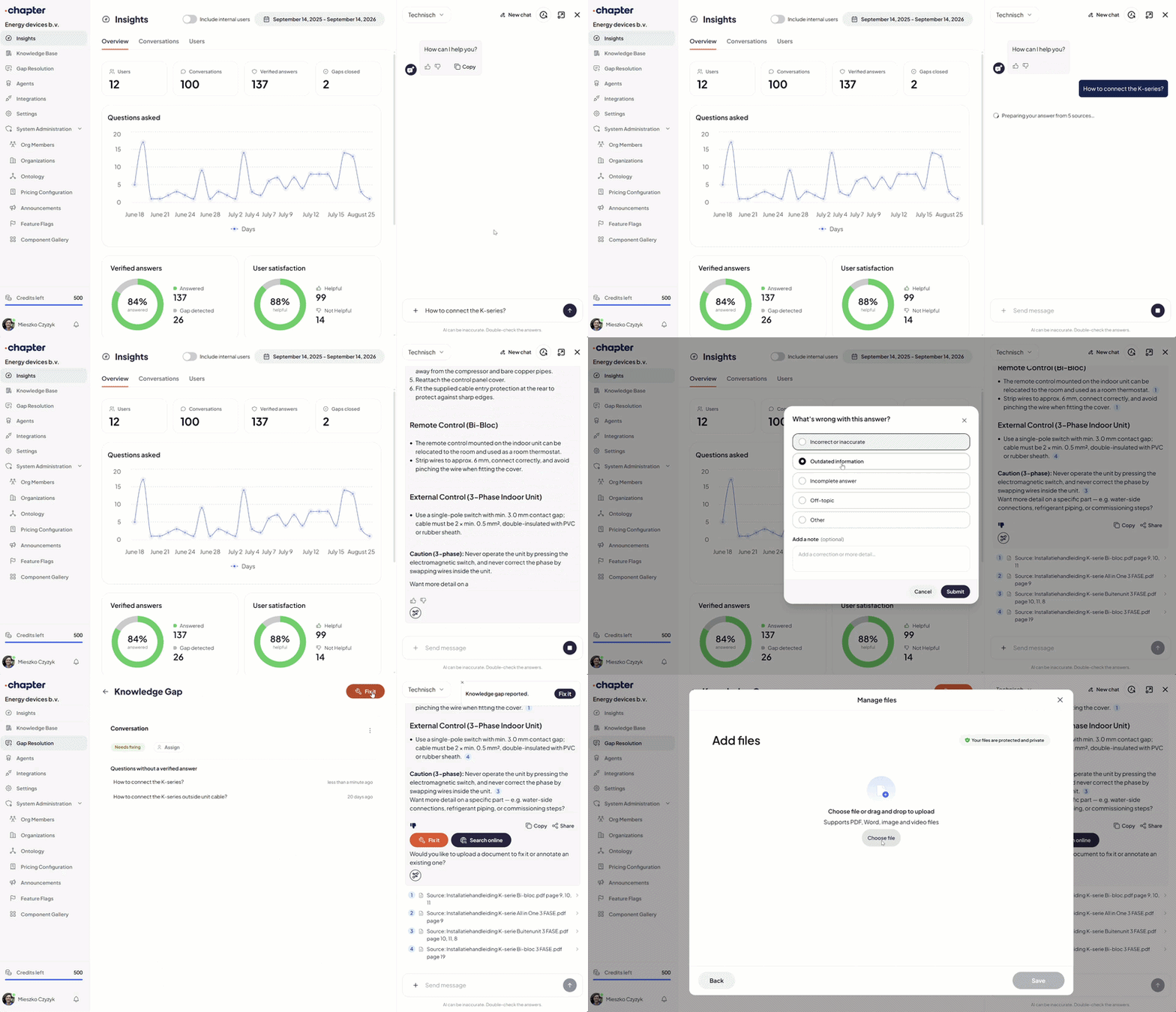
Permissions across three audiences. Staff, installers and end customers reading from one knowledge base, each seeing only what they should, without maintaining three copies that quietly drift apart.
Compliance. ISO 27001, GDPR, EU AI Act readiness, EU hosting. Building it yourself means budgeting for implementation, documentation and ongoing checks.
Cost accounting. Finance will eventually ask what a resolved question costs. Your system needs the usage and outcome data to answer.
These costs continue after launch, as documentation, products and models change.
The numbers, side by side
.png)
How the year-one totals work
The annual running costs show a full year of operation. The year-one totals include the build or setup plus the running costs allowed for that first year: approximately €25,000 for Light DIY, €20,000 for Full DIY and €20,712 for Chapter.
The DIY totals therefore include partial-year running costs, while Chapter’s total includes a full year’s allowance. The DIY estimates assume 2 full-time employees for Light DIY and 2.5 for Full DIY, including employment costs, plus tooling and infrastructure.
What does the Chapter estimate cover?An installation supporting internal staff, 50 new installers onboarding each year, around 200 active installers in the field, 20% of support calls deflected, and a public advisor on your website.
That works out to roughly 2,950 answers a month. The first 1,500 are included; the remaining 1,450 are billed at the standard overage rate.
Ongoing costs follow usage on a rate card. Lower usage means lower overage charges, with no per-seat fees to reconcile as your team or installer network grows. All costs and timelines shown are estimates.
Including the initial build plus a full 12 months of running costs widens the gap further in favour of buying: approximately €155,000 for Light DIY and €400,000 for Full DIY, compared with €22,212 for Chapter. Beyond those costs, getting started sooner also has value: next, we’ll look at what Chapter’s roughly one to 3-week launch means compared with 5 months for Light DIY or 10 months to a stable Full DIY system.
Every month spent building is another month paying for the problem
Chapter goes live in one to three weeks. Building takes five to ten months. That gap has a cost: months of efficiency gains your team could already be benefiting from.
%20(1).png)
Our model assumes the same value once either option is live: roughly €53K a year, or €4,400 a month, in time savings and reduced support workload.
Across the two DIY scenarios, Chapter goes live around 7 months sooner on average. That means roughly €31K in benefits delayed by building, on top of the build cost.
You won’t find that figure in the project budget. You’ll find it in the hours your team still spends searching for answers, getting installers up to speed and handling support escalations while the build continues.
Where the risk sits
In field support, a wrong answer isn't like recommending the wrong movie. It's more like handing a technician the service manual for the wrong heating-system: the procedure may look relevant, but it applies to a different unit. That creates a safety risk and a warranty exposure, not just a poor customer experience. “Close enough” is fine for a movie recommendation. Not for a technician working on someone's heating system in winter.
%20(1).png)
Buying reduces the engineering and maintenance burden on your team. Chapter provides EU hosting, ISO 27001-certified security management and answers traceable to their sources. Our Trust Center details our security, privacy and compliance measures so your team can assess them against your requirements. You still own your technical content, access decisions and how the system is used.
When you should build
We'd rather you build than buy a platform that doesn't fit. Building is the right call in a few cases.
- Your scope is small and will stay small. One product family, one language, manuals revised once a year, only your own technicians asking. Forty PDFs and twelve engineers. Retrieval over one well-labelled folder handles that, until a second language, a variant that differs by one part number, or an installer network you never trained shows up.
- You already have a knowledge graph. Your products, parts, synonyms and procedures modelled as validated entities and relations, maintained by people whose job it is, with a release process when a model changes. That's the expensive part. A retrieval layer on top is a modest project. Most OEMs have PDFs, not a graph. If you have the graph, build.
- You have the engineers for three years, not a quarter. Someone re-ingests revised manuals and purges the old pages, updates every answer when a line moves to R290, re-runs the test set when your model provider retires a model, and finds last month's failed questions when fewer than one user in ten clicks a thumb. If you already run a model gateway and eval harness for other departments, that job is much cheaper. If those people exist and will still be there in 2029, build.
- You have a hard requirement no vendor can meet. A site network that never calls out. A contract that permits no third-party processor at all. A graph on your own schema the assistant must write back to. Fit on everything else doesn't count.
Wanting the assistant inside your own installer app or portal isn't on this list. An API does that, and you skip the three years of upkeep.
If none of those describe you, your team can still build it. The question is whether you want their next three years spent keeping it current instead of on your products.
Questions worth asking before you commit
- Who maintains this when the engineer who built it moves on?
- How does it handle two variants whose manuals differ by one paragraph?
- Who approves that an answer about a part number is correct, and in what tool?
- What happens to a question we can't answer? Who picks it up?
- How do we know a model upgrade improved the answers instead of quietly breaking some of them?
- How do we serve staff, installers and end customers from one source without maintaining three?
- Who owns ISO 27001, EU AI Act readiness and erasure requests?
- What's the total cost in year three, not year one?
- What could these engineers be building instead?
If more than three of those don't have an owner, you're scoping a product, not a project.
What buying looks like in practice
Solvis, a 300-person German heating manufacturer, now has 234 files in Chapter. Using those files, the system has answered thousands of technical questions without passing them to a specialist, freeing up hundreds of hours for fieldwork. Think fewer interruptions at the technical desk, more time working on heating systems. Solvis forecasts that, as the system matures, up to 50% of questions could be answered without specialist involvement.
.png)
The practical value is getting a technician to the right procedure, with a source they can check, without interrupting a specialist. It also has to turn up where the work happens: inside the CRM while the customer is still on the line, on the installer portal, on your public site. Like a tool kept within reach rather than back at the depot, it needs to be available at the point of use.In the end, it's your call
%20(1).png)
Plenty of good engineering teams could build a knowledge layer for their products. The harder question is whether yours should spend the next three years maintaining one: structuring hundreds or thousands of technical data points, keeping product variants separate, re-ingesting revised manuals, filling knowledge gaps and checking that each change still produces reliable answers.
The common questions are usually covered in the manuals. The complex ones consume your support team’s time: matching a procedure to the exact model, tracing compatibility across components or reconciling a service bulletin with an older installation guide. The system needs to connect that information, cite its sources and flag questions it cannot reliably answer.
Building it yourself means maintaining those capabilities as your products and documentation change. Chapter provides and maintains that infrastructure, so your specialists can spend less time finding and cross-checking information and more time resolving complex cases.
Whichever route you choose, ask one question first: which cases took your support team the most time last month, and how much of that time went into finding and cross-checking information before they could apply their expertise?
.avif)
